
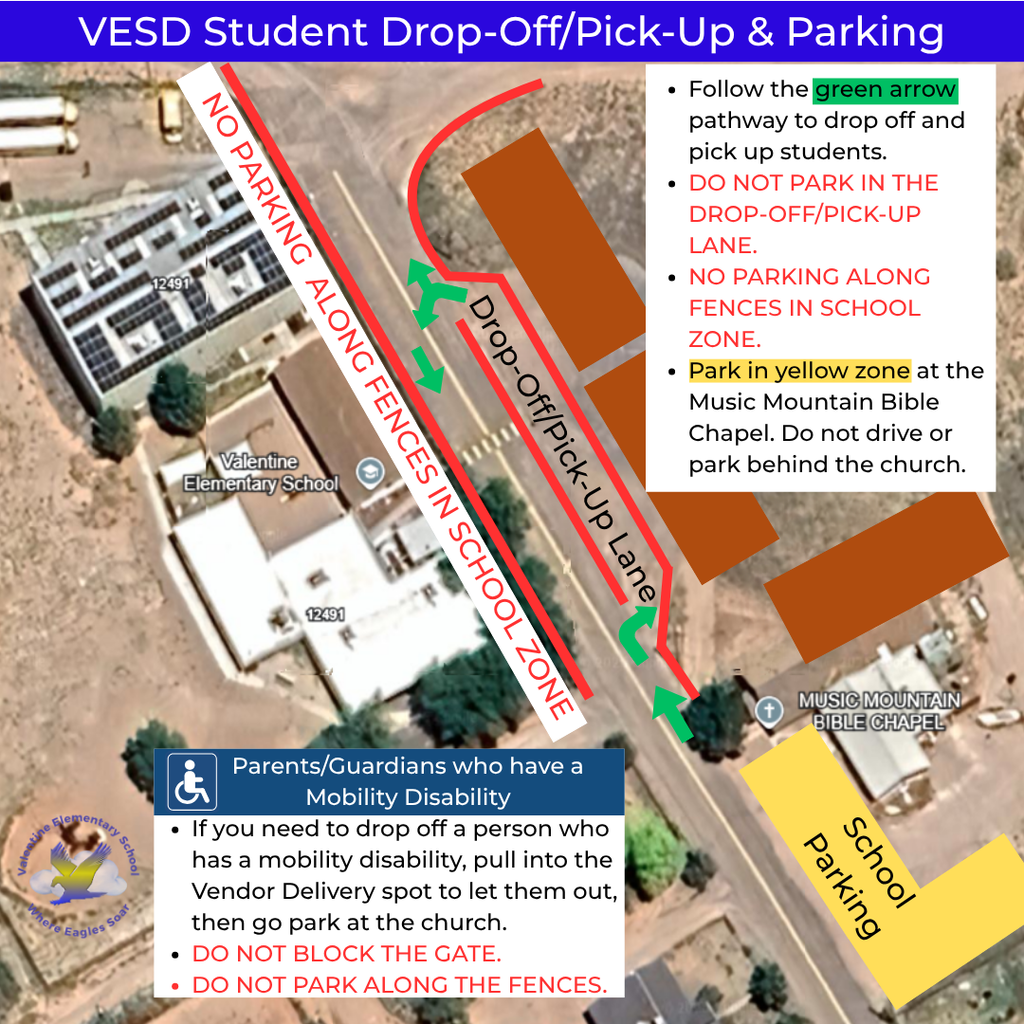
Student Drop-Off/Pick-Up & Parking
The drop off zone is still across the street, but now your vehicle will face north, toward the mountain. If students exit from the passenger side, they should cross in front of your vehicle and enter the crosswalk.
Follow the green arrow pathway to drop off and pick up students. DO NOT PARK IN THE DROP-OFF/PICK-UP LANE.
NO PARKING ALONG THE FENCES ON BOTH SIDES OF THE SCHOOL ZONE.
The parking lot is temporarily at Music Mountain Bible Chapel. Do not drive or park behind the church.
If you are signing students in or out, you must park at the church, and then come into the office.
***Parents/Guardians who have mobility disabilities: If you need to drop off a person who has mobility disabilities, pull into the Vendor Delivery designated spot to let them out, then go park at the church. DO NOT BLOCK THE GATE. DO NOT PARK ALONG THE FENCES. All parking is at the church.
The drop off zone is still across the street, but now your vehicle will face north, toward the mountain. If students exit from the passenger side, they should cross in front of your vehicle and enter the crosswalk.
Follow the green arrow pathway to drop off and pick up students. DO NOT PARK IN THE DROP-OFF/PICK-UP LANE.
NO PARKING ALONG THE FENCES ON BOTH SIDES OF THE SCHOOL ZONE.
The parking lot is temporarily at Music Mountain Bible Chapel. Do not drive or park behind the church.
If you are signing students in or out, you must park at the church, and then come into the office.
***Parents/Guardians who have mobility disabilities: If you need to drop off a person who has mobility disabilities, pull into the Vendor Delivery designated spot to let them out, then go park at the church. DO NOT BLOCK THE GATE. DO NOT PARK ALONG THE FENCES. All parking is at the church.
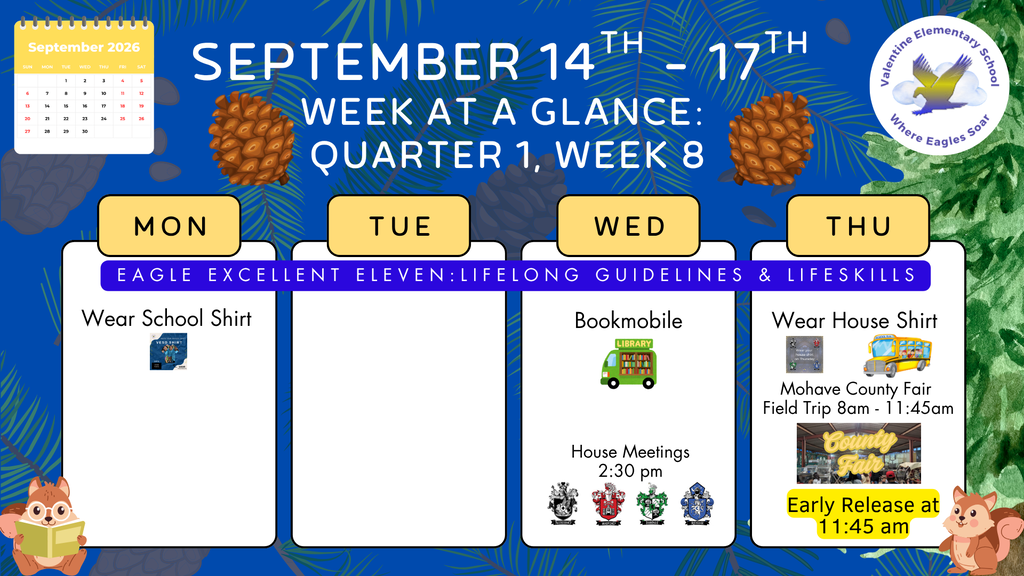
Week-at-a-Glance September 14th - September 17th
Valentine Elementary School has positions open for the 2026-2027 school year. Please share with family and friends who may be interested and qualified for these positions. Click on our Careers section at www.ValentineAZ.net to access the employment application. Join our students and staff at Valentine Elementary School, Where Eagles Soar!

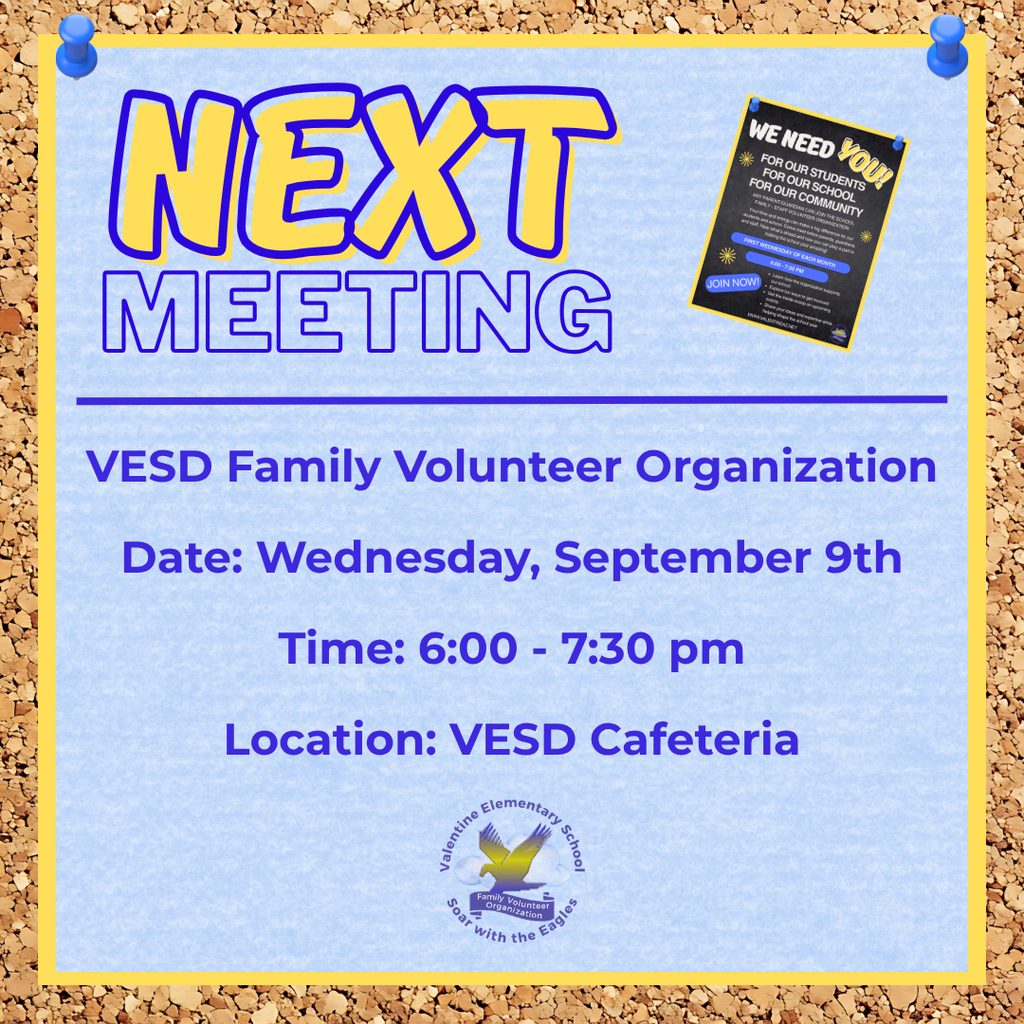
VESD Family Volunteer Organization Meeting
Date: Wednesday, September 9th
Time: 6:00pm - 7:30 pm
Location: VESD Cafeteria
Date: Wednesday, September 9th
Time: 6:00pm - 7:30 pm
Location: VESD Cafeteria
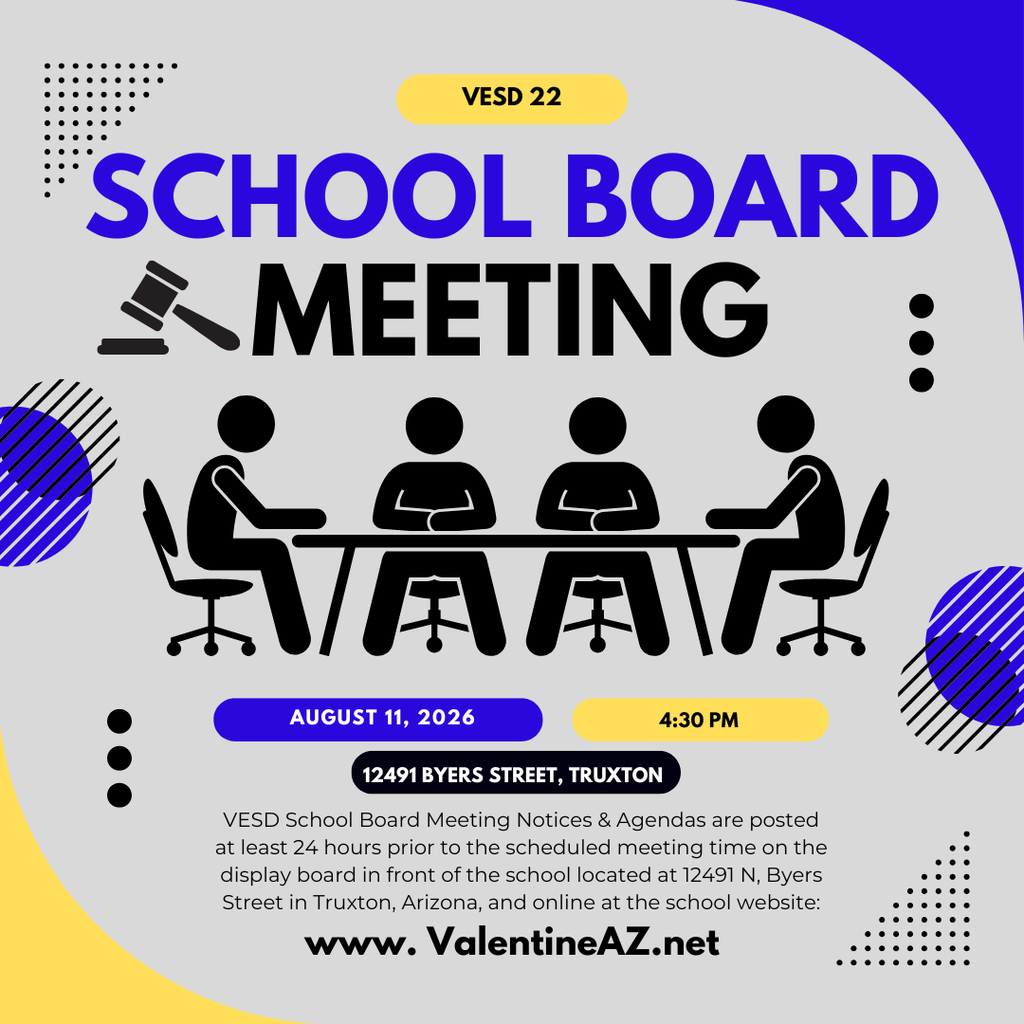
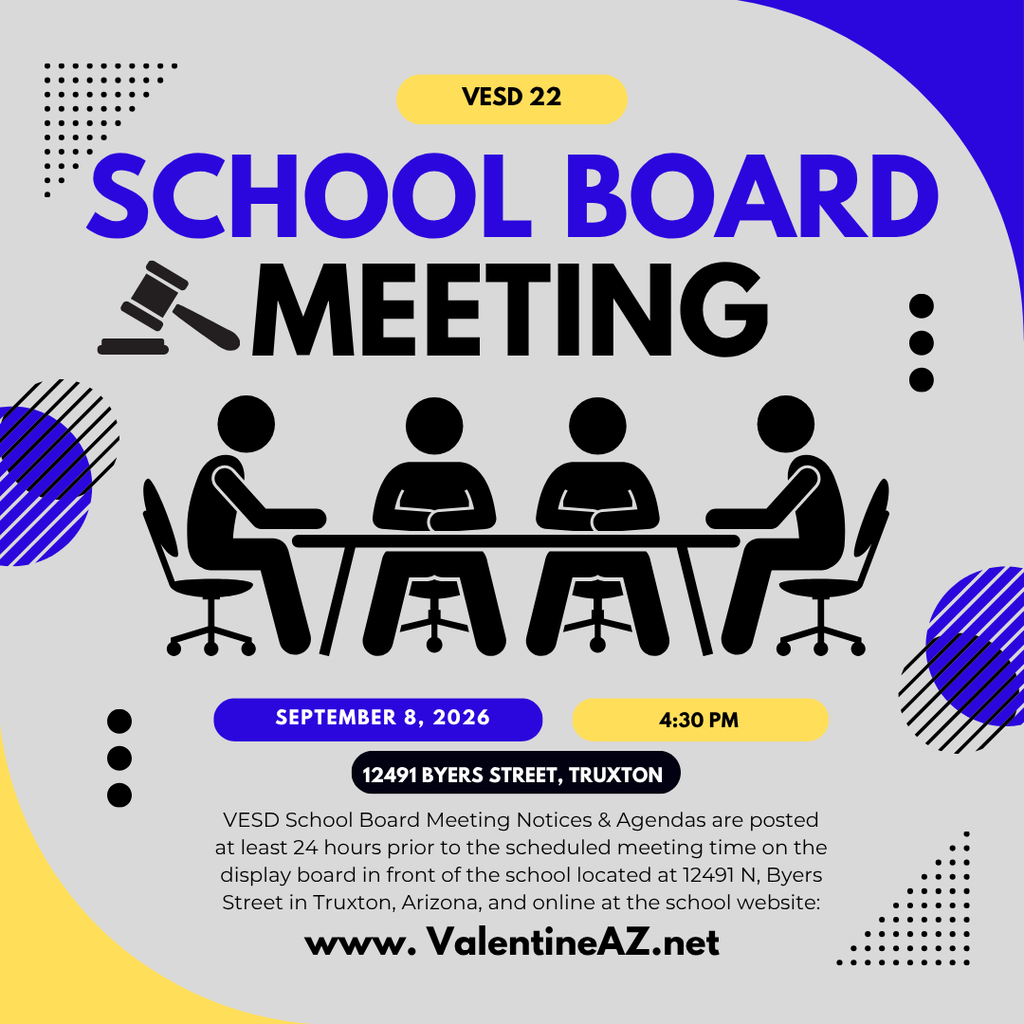
VESD School Board Meeting - September 8th at 4:30 pm VESD School Board Meeting Notices & Agendas are posted at least 24 hours prior to the scheduled meeting time on the display board in front of the school located at 12491 N, Byers Street in Truxton, Arizona, and online at the school website: www.valentineaz.net
Thank you to our Valentine families for coming to the Student-Led Conferences this past week.

Happy Labor Day!

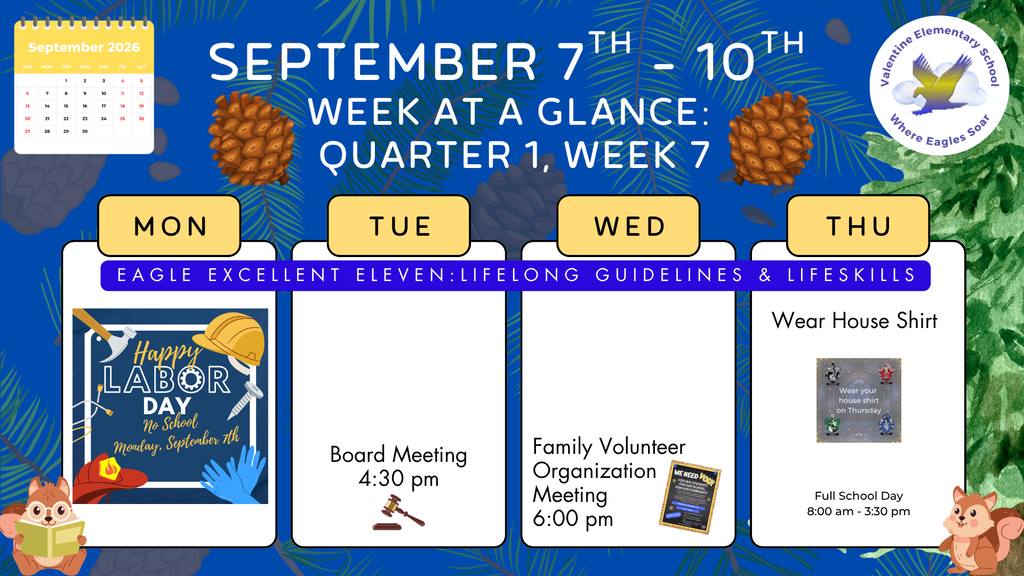
Week-at-a-Glance September 7th - September 10th
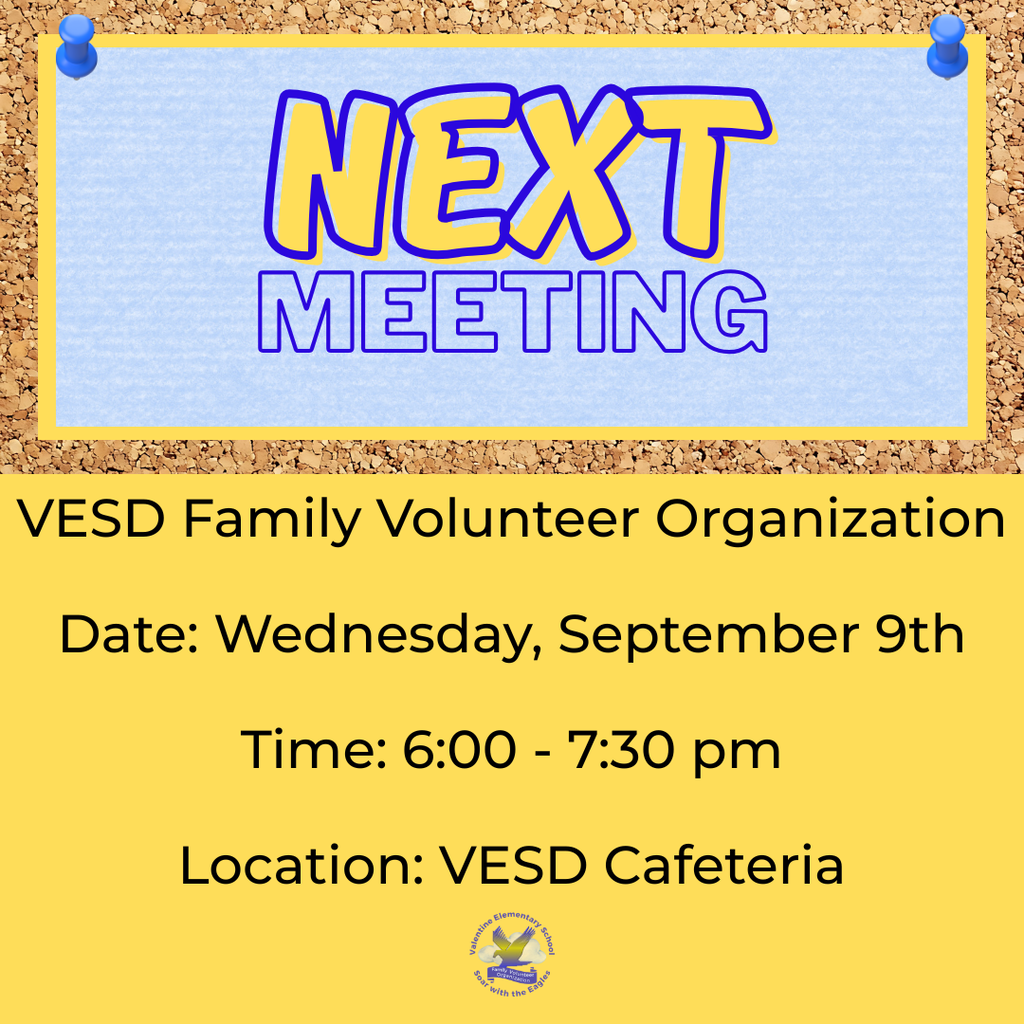
VESD Family Volunteer Organization Meeting
Date: Wednesday, September 9th
Time: 6:00 pm - 7:30 pm
Location: VESD Cafeteria
Date: Wednesday, September 9th
Time: 6:00 pm - 7:30 pm
Location: VESD Cafeteria
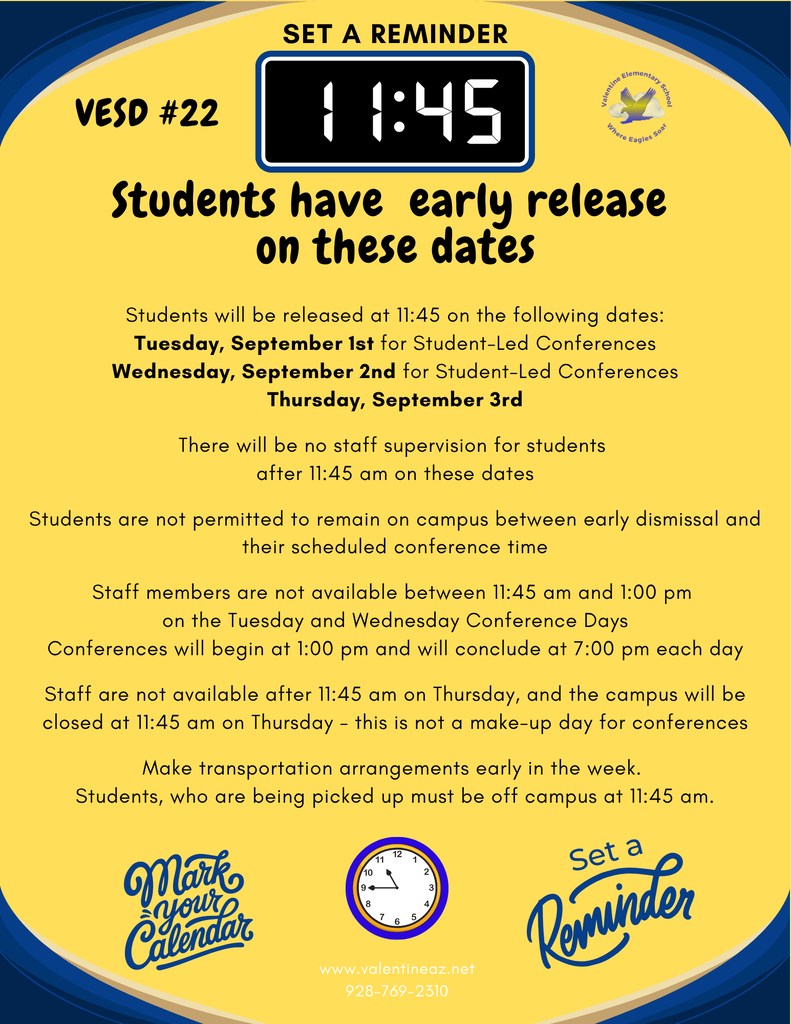
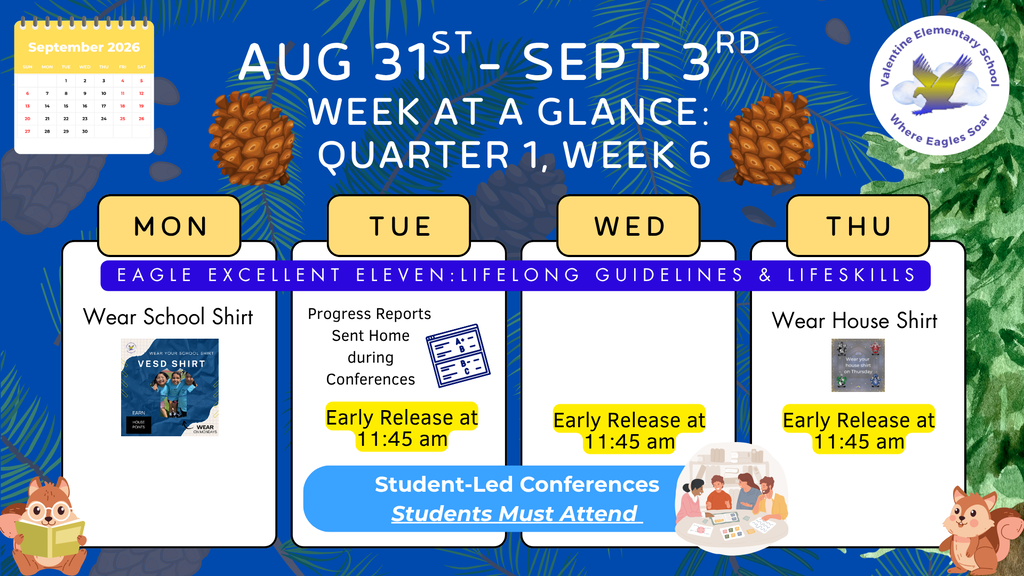
Students will be released at 11:45 on the following dates:
Tuesday, September 1st for Student-Led Conferences
Wednesday, September 2nd for Student-Led Conferences
Thursday, September 3rd
There will be no staff supervision for students after 11:45 am on these dates
Students are not permitted to remain on campus between early dismissal and their scheduled conference time
Staff members are not available between 11:45 am and 1:00 pm on the Tuesday and Wednesday Conference Days
Conferences will begin at 1:00 pm and will conclude at 7:00 pm each day
Staff are not available after 11:45 am on Thursday, and the campus will be closed at 11:45 am on Thursday - this is not a make-up day for conferences
Make transportation arrangements early in the week.
Students, who are being picked up must be off campus at 11:45 am.
Tuesday, September 1st for Student-Led Conferences
Wednesday, September 2nd for Student-Led Conferences
Thursday, September 3rd
There will be no staff supervision for students after 11:45 am on these dates
Students are not permitted to remain on campus between early dismissal and their scheduled conference time
Staff members are not available between 11:45 am and 1:00 pm on the Tuesday and Wednesday Conference Days
Conferences will begin at 1:00 pm and will conclude at 7:00 pm each day
Staff are not available after 11:45 am on Thursday, and the campus will be closed at 11:45 am on Thursday - this is not a make-up day for conferences
Make transportation arrangements early in the week.
Students, who are being picked up must be off campus at 11:45 am.
Student Led Conferences will be held on Tuesday, September 1st & Wednesday, September 2nd. A Conference Confirmation form was sent home last week, with dates and times for each student conference for families. It is important that families attend conferences with the student present at the meeting. During the Student-Led Conference, your student will be reviewing attendance, behavior, and academic progress with you and the teacher.
If you need to reschedule for a different date or time, please call the office. Leave a message if you are unable to speak with office staff directly. We are most likely working with another family at that moment. You may also contact teachers directly via email or through the school app. DO NOT CALL OR TEXT to a staff member's personal cell phone number - this is a violation of technology policies - you will not receive a response if you contact a staff member via their personal cell phone number.
Conferences will not be scheduled for Thursday, September 3rd - this is not a make-up date. Staff members are scheduled to be off campus at 11:45 am on Thursday, September 3rd for a Staff Appreciation function.
Contact the school office at 928-769-2310 for questions or to reschedule a conference time.
If you need to reschedule for a different date or time, please call the office. Leave a message if you are unable to speak with office staff directly. We are most likely working with another family at that moment. You may also contact teachers directly via email or through the school app. DO NOT CALL OR TEXT to a staff member's personal cell phone number - this is a violation of technology policies - you will not receive a response if you contact a staff member via their personal cell phone number.
Conferences will not be scheduled for Thursday, September 3rd - this is not a make-up date. Staff members are scheduled to be off campus at 11:45 am on Thursday, September 3rd for a Staff Appreciation function.
Contact the school office at 928-769-2310 for questions or to reschedule a conference time.

Week-at-Glance August 31st - September 3rd
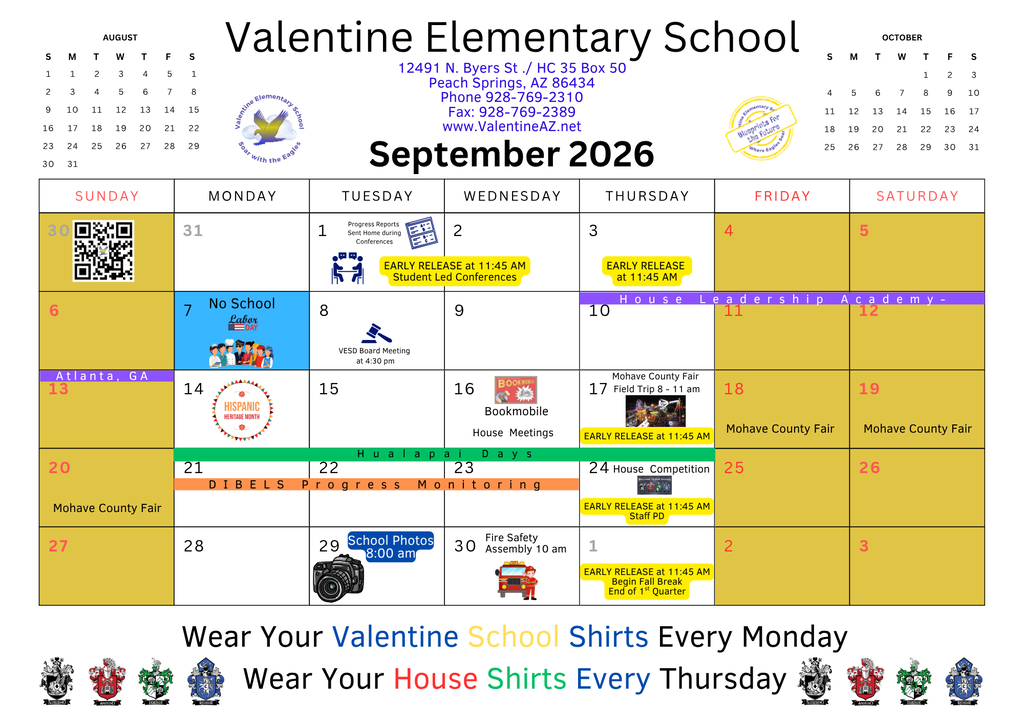
Check out the monthly Events Calendar for school and special events. Please have your students in school every day to ensure they are able to participate in all the opportunities.
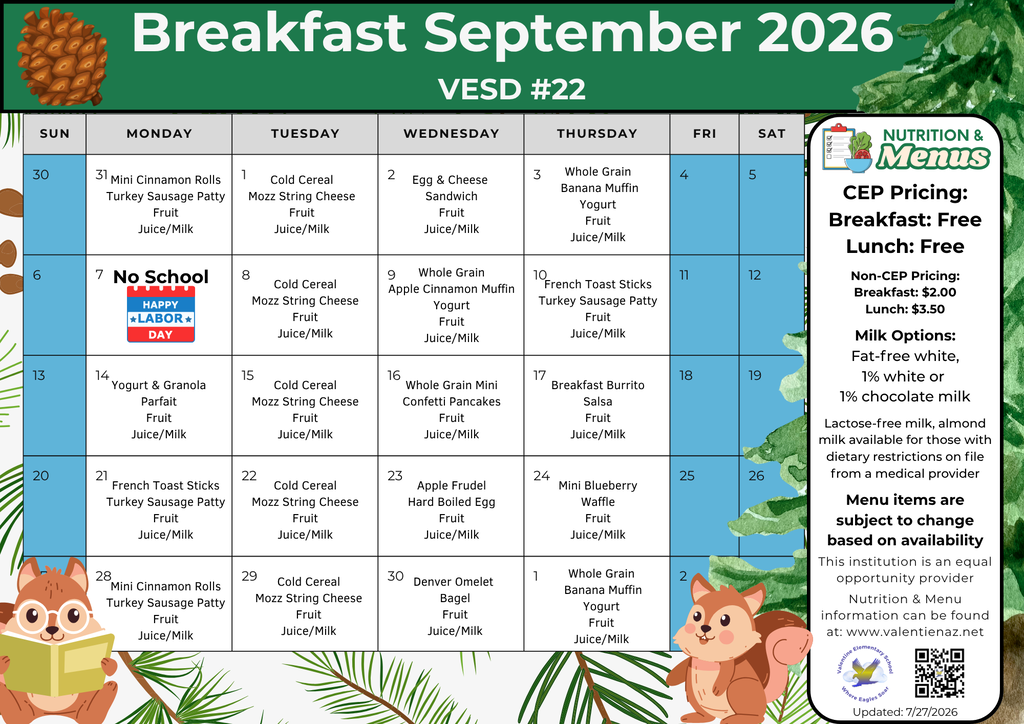
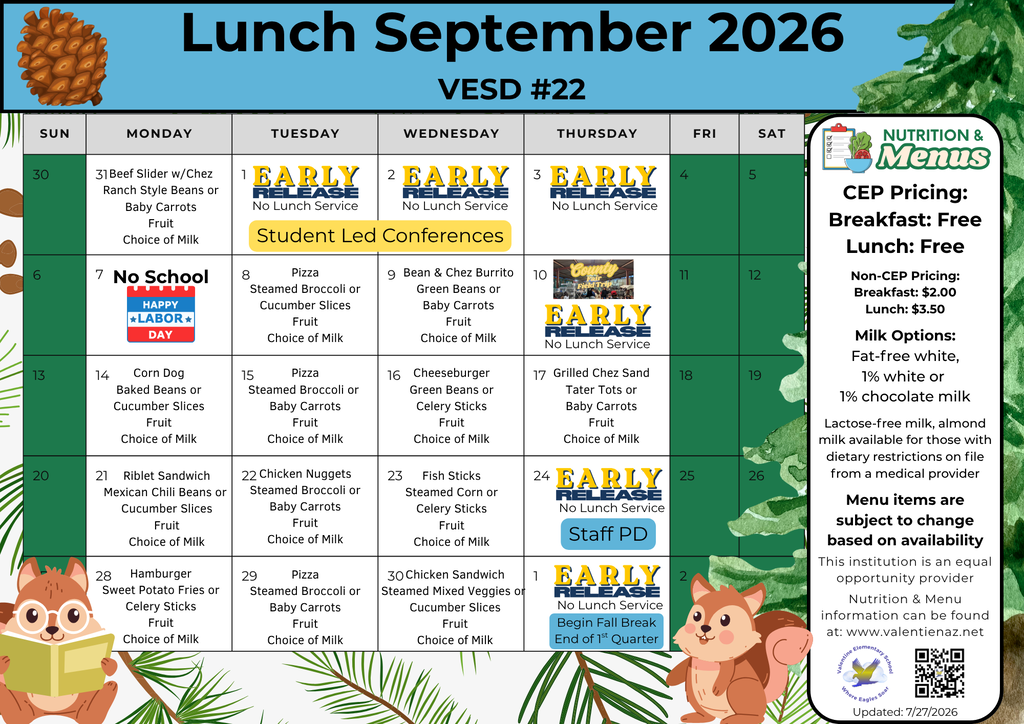
September 2026 Menus
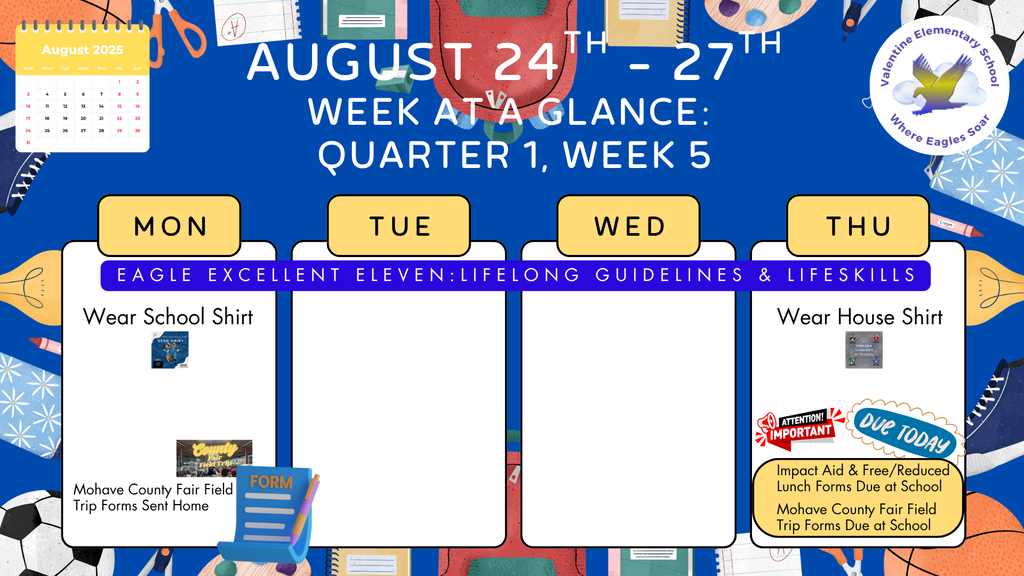
Week-at-a-Glance August 24th - August 27th
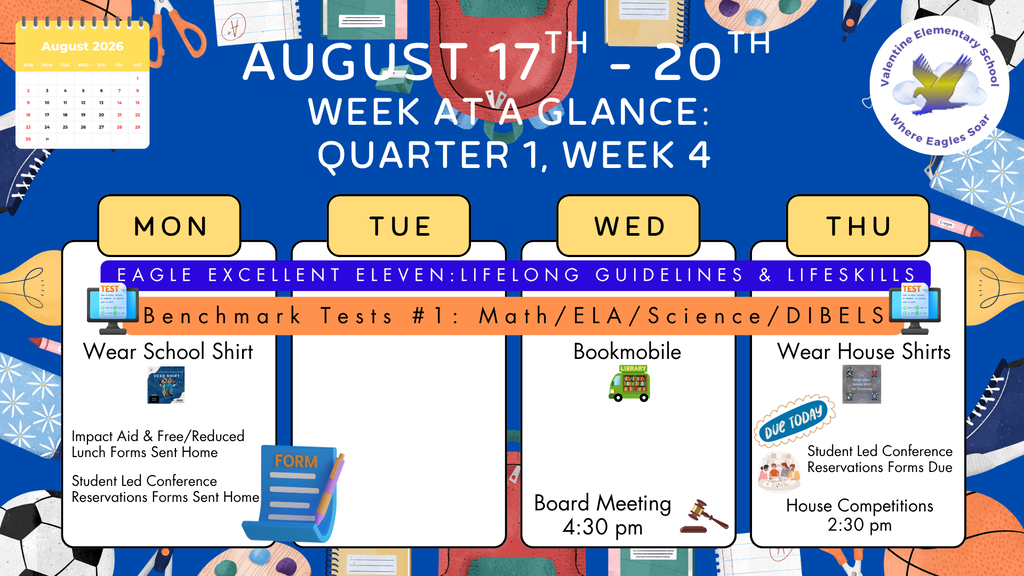
Week-at-a-Glance August 17th - August 20th
Valentine Elementary School has positions open for the 2026-2027 school year. Please share with family and friends who may be interested and qualified for these positions. Click on our Careers section at www.ValentineAZ.net to access the employment application. Join our students and staff at Valentine Elementary School, Where Eagles Soar!

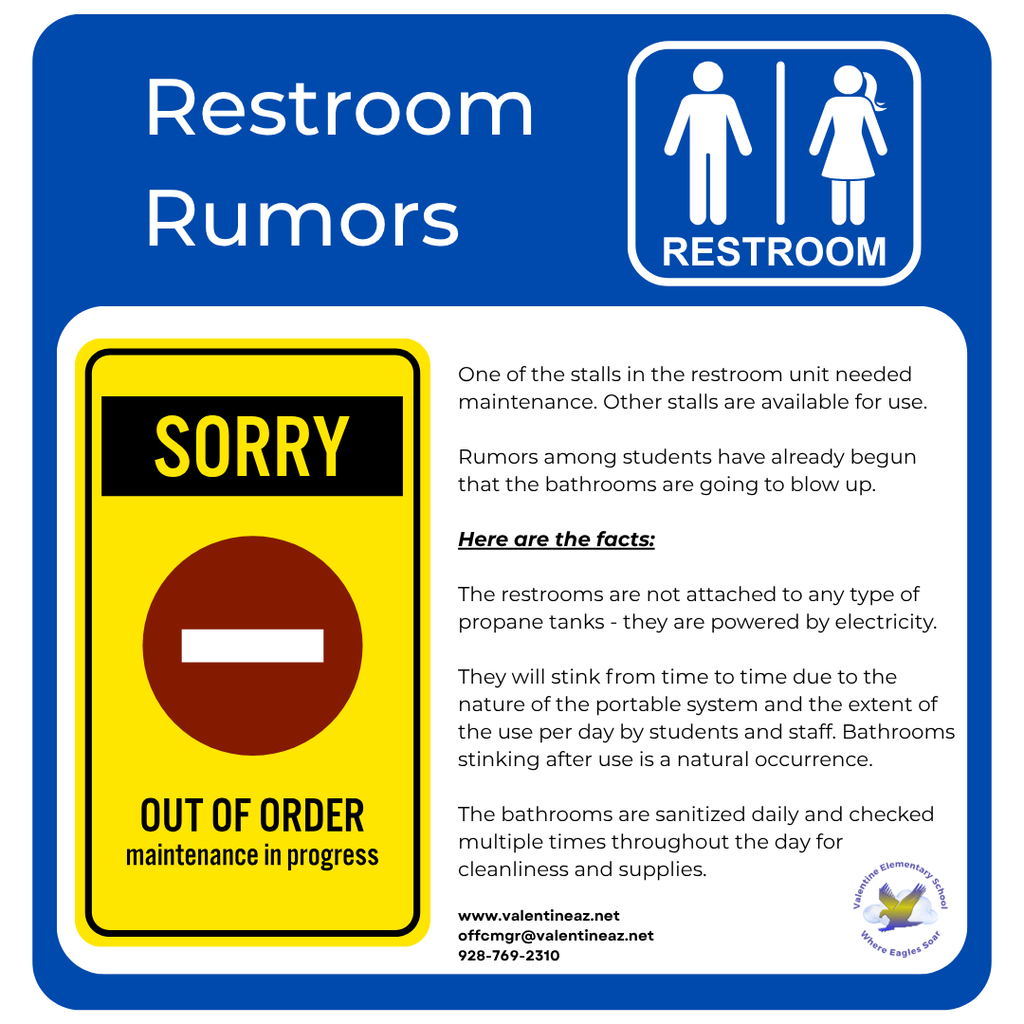
One of the stalls in the restroom unit needed maintenance. Other stalls are available for use.
Rumors among students have already begun that the bathrooms are going to blow up.
Here are the facts:
The restrooms are not attached to any type of propane tanks - they are powered by electricity.
They will stink from time to time due to the nature of the portable system and the extent of the use per day by students and staff. Bathrooms stinking after use is a natural occurrence.
The bathrooms are sanitized daily and checked multiple times throughout the day for cleanliness and supplies.
Rumors among students have already begun that the bathrooms are going to blow up.
Here are the facts:
The restrooms are not attached to any type of propane tanks - they are powered by electricity.
They will stink from time to time due to the nature of the portable system and the extent of the use per day by students and staff. Bathrooms stinking after use is a natural occurrence.
The bathrooms are sanitized daily and checked multiple times throughout the day for cleanliness and supplies.
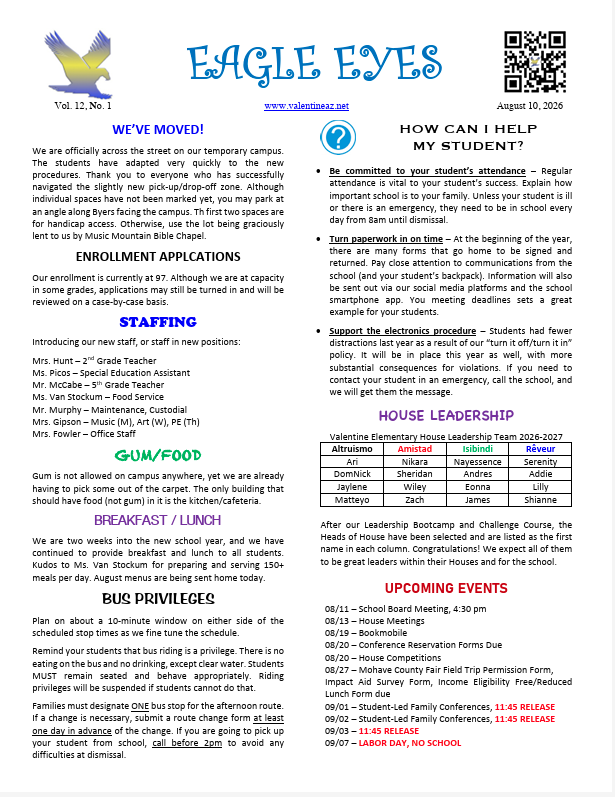
Read the Eagle Eyes monthly newsletter to stay up-to-date on events and news from Valentine Elementary School.
VESD School Board Meeting - August 11th at 4:30 pm VESD School Board Meeting Notices & Agendas are posted at least 24 hours prior to the scheduled meeting time on the display board in front of the school located at 12491 N, Byers Street in Truxton, Arizona, and online at the school website: www.valentineaz.net